
Customers want to know when their order will arrive before completing a purchase. When delivery information is missing or unclear, shoppers may hesitate, leave the store, or contact support for answers.
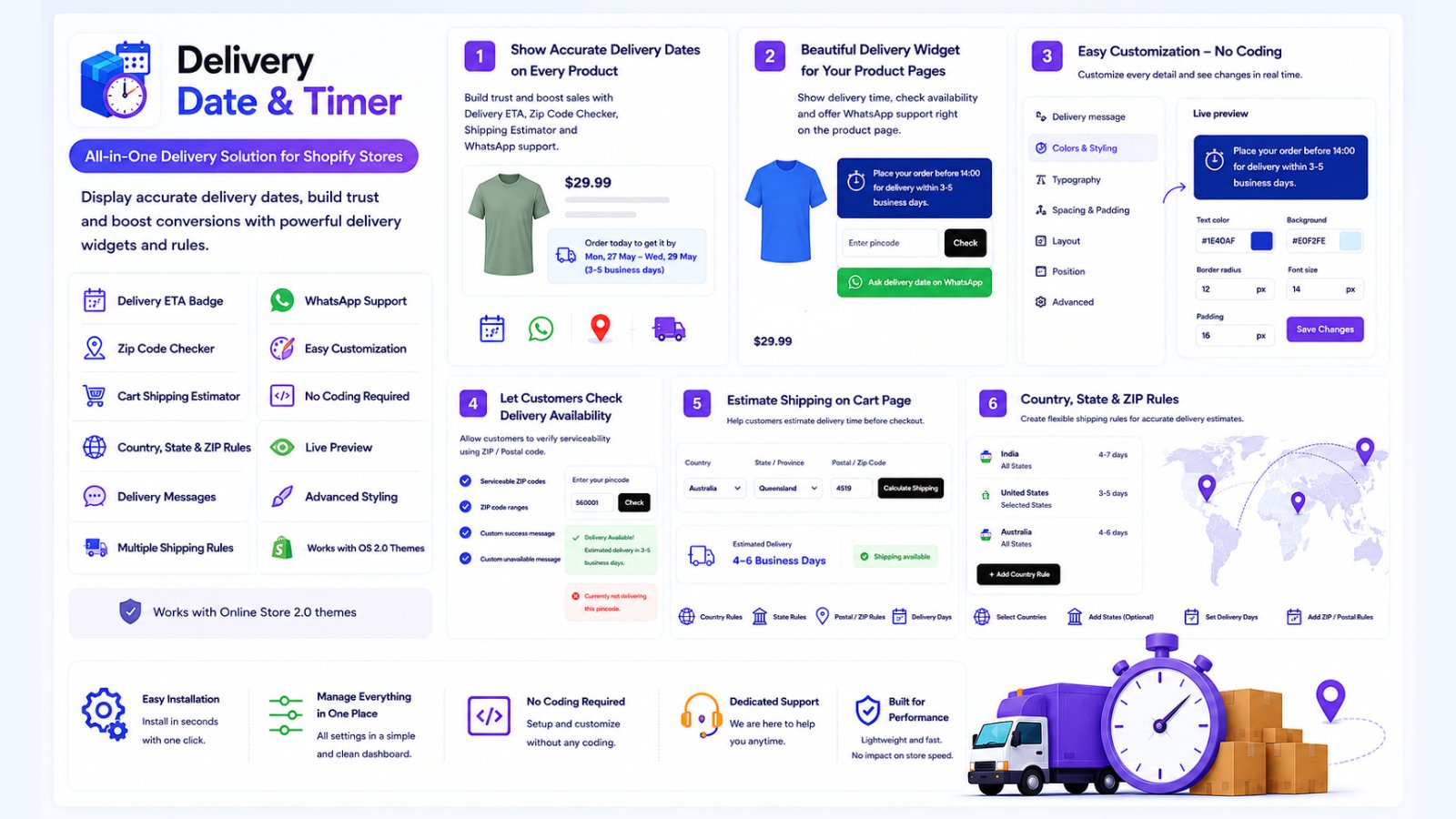
Delivery Date & Timer helps Shopify merchants display estimated delivery information across product and cart pages. It also provides location-based delivery rules, ZIP code availability checks, WhatsApp support, and storefront customization.
Why estimated delivery dates matter
Shipping speed can influence a customer’s purchase decision. A clear delivery estimate helps shoppers understand whether a product is likely to arrive before a birthday, event, holiday, or other important date.
Displaying this information before checkout can help merchants:
- Set clearer delivery expectations
- Reduce uncertainty before purchase
- Answer common shipping questions
- Build customer confidence
- Reduce repetitive support requests
- Create a more transparent shopping experience
Display delivery estimates on product pages
Delivery Date & Timer can show an estimated delivery date directly on Shopify product pages.
Customers can see useful delivery information while reviewing the product, price, options, and availability. This allows them to consider the expected arrival time before adding the item to their cart.
Merchants can configure the delivery message and presentation to match their storefront.
Let customers check delivery by ZIP code
Delivery availability and timing can vary between locations.
The ZIP code checker lets customers enter their postal or ZIP code to check whether delivery is available in their area. This can be especially useful for stores with location-specific shipping coverage or different delivery rules.
Show delivery information in the cart
Delivery expectations remain important after a customer adds products to the cart.
The app can display a cart shipping estimate so shoppers can review expected delivery information before proceeding to checkout. Keeping this information visible can create a more consistent purchasing journey.
Create country and state delivery rules
Stores often need different delivery times for different destinations.
Delivery Date & Timer allows merchants to configure rules for supported countries and states. Depending on the selected plan, merchants can create location-based delivery experiences that better reflect their shipping operations.
These rules can help stores communicate more relevant estimates instead of showing the same delivery time to every shopper.
Offer WhatsApp delivery support
Some customers may need additional help before placing an order.
The WhatsApp support option gives shoppers a convenient way to contact the merchant about delivery availability, shipping time, or other order questions.
This provides a human-support path when automated delivery information is not enough.
Match the delivery display to your storefront
Merchants can customize the appearance of their delivery information.
Available styling controls include options for:
- Colors
- Message text
- Layout
- Display style
- Delivery labels
- Storefront placement
Customization helps the delivery widget feel like a natural part of the store rather than an unrelated external element.
Simple Shopify installation
Delivery Date & Timer is designed for straightforward Shopify setup.
To get started:
- Install the app from the Shopify App Store.
- Open the app in Shopify Admin.
- Configure delivery days and applicable location rules.
- Open the Shopify theme editor.
- Enable the app embed or add the app block.
- Save the theme.
- Visit the storefront and confirm the delivery message is displayed.
- Test the experience on desktop and mobile devices.
No complicated manual theme-code editing is required for the standard installation.
Choose a plan that fits your store
The app provides multiple plans for stores with different requirements.
Available functionality can include:
- Product-page delivery ETA badge
- ZIP code checker
- Country delivery rules
- Cart shipping estimates
- State-based rules
- WhatsApp delivery assistance
- Advanced customization
- Priority support
Merchants can begin with the available entry plan and upgrade when they require additional location rules or storefront features.
Good practices for delivery estimates
Estimated delivery dates should be based on realistic shipping operations.
Merchants should consider:
- Order-processing time
- Business days
- Weekends and holidays
- Shipping-carrier transit time
- Destination country or region
- Product-specific preparation time
- Possible seasonal delays
It is also helpful to explain that displayed dates are estimates unless the merchant or shipping carrier guarantees delivery.
Improve delivery confidence on your Shopify store
Clear delivery information can help customers make more informed purchasing decisions.
Delivery Date & Timer gives Shopify merchants tools for showing estimated delivery dates, checking location availability, displaying cart estimates, configuring regional rules, and providing WhatsApp assistance.
Learn more:
https://delivery-date-timer.greatshub.com/
Install from the Shopify App Store:
https://apps.shopify.com/delivery-date-timer