


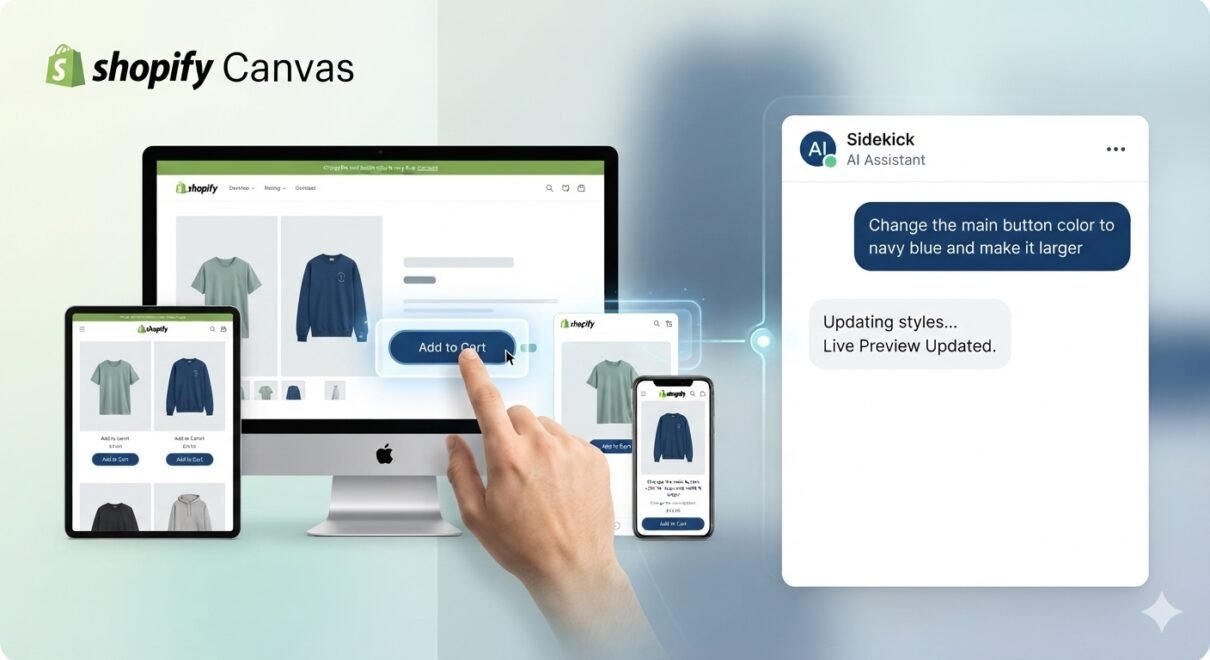
E-commerce storefront customization just underwent a massive paradigm shift. Shopify has officially introduced Shopify Canvas, an intelligent, conversational visual workspace that changes how merchants interact with their online stores.
Instead of diving deep into nested sidebar menus, toggle switches, or lines of liquid code, you can now build a brand-new storefront simply by talking to an AI agent named Sidekick.
The Three Pillars of Shopify Canvas
1. The Infinite Design Canvas
Traditionally, customizing an online store meant loading individual pages one by one. Canvas replaces this outdated workflow with a birds-eye, infinite visual workspace. Merchants can seamlessly pan across every single core page of their site and zoom in on specific UI elements on the fly. It provides a true visual map of the entire customer journey in one place.
2. Natural Language Editing with Sidekick
At the core of the Canvas interface is Shopify’s AI assistant, Sidekick. Instead of hunting for font controls or block padding settings, you simply issue natural text prompts.
- “Make the hero section look like an autumn lookbook and update the branding.”
- “Rearrange the grid to highlight our latest collection first.”
Sidekick interprets the instruction and handles the back-end alterations natively.
3. Real-Time Code Execution
What sets Canvas apart from basic drag-and-drop landing page builders is how it handles the changes. When you tell Sidekick to adjust a layout, the AI doesn’t just overlay visual elements; it rewrites the store’s underlying theme code instantly. The edits render in real time, delivering a live, animated preview that acts exactly like a published storefront.
Early Access Requirements & Limitations
While Canvas represents the future of e-commerce web design, it is currently rolling out in an early access phase. Keep these structural boundaries in mind:
| Feature/Metric | Support Status & Details |
|---|---|
| Device Availability | Desktop-only during early access. |
| Theme Compatibility | Limited to custom themes and themes developed directly by Shopify. |
| Third-Party Themes | Not supported at launch. |
| Unsupported Blocks | App blocks, app embeds, and automated translations are temporarily restricted. |
| Multi-Market Tools | Shopify Markets and regional rollouts are not yet available within the workspace. |
How to Get Started
If your account is eligible, you can access the new layout via your desktop dashboard by navigating to Online Store > Themes, or via the direct utility path found in the Shopify Help Center.